Turistar
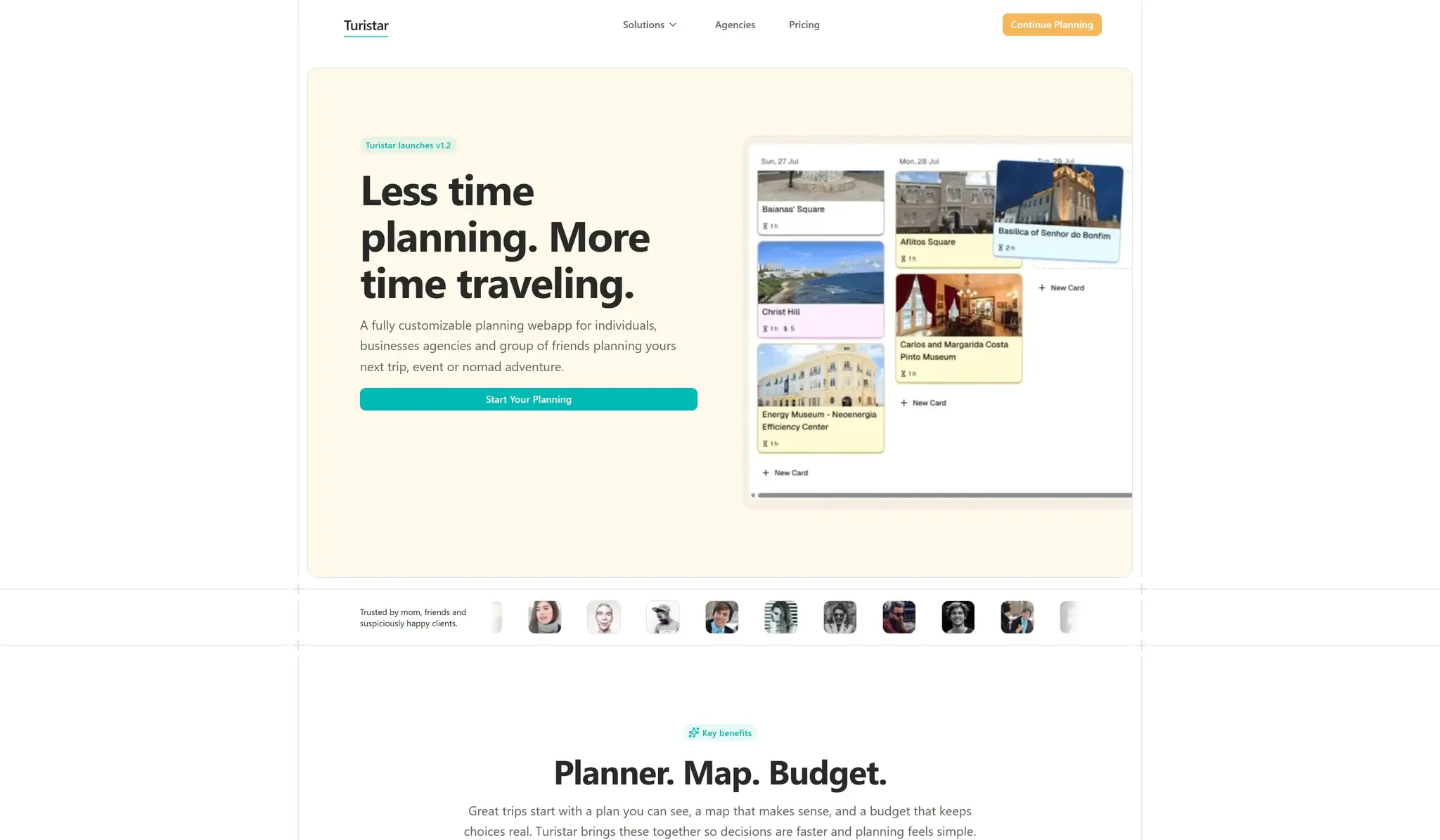
A modern, drag‑and‑drop travel planner for crafting custom itineraries.
Founder
4 Months
Jun 2025
Context
I've always been the kind of person who plans every detail of a trip. To me, half the fun of traveling is dreaming up your days before you ever step on a plane. But after years of juggling spreadsheets, bookmarked maps and scattered notes, I realized there was no single place that made organizing an itinerary feel joyful.
So I set out to change that. I wanted a tool that felt more like shuffling postcards on a table than filling out a form. A space where you could visualize your days, drag places around until the perfect route appears, and keep everything together so that planning becomes part of the travel experience rather than a chore.
What is Turistar?
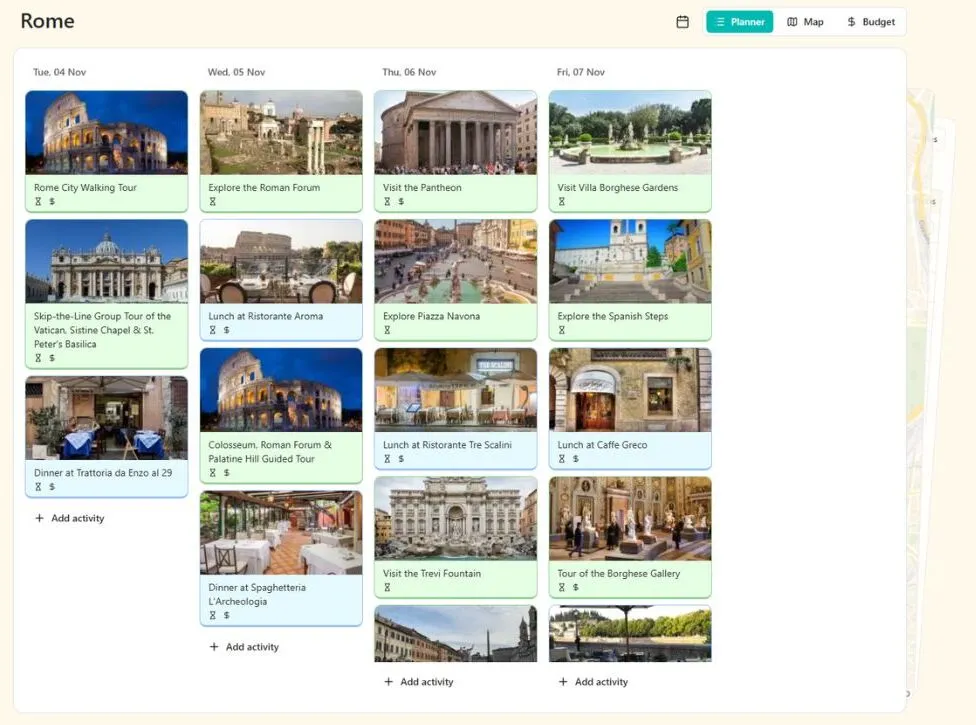
Turistar is a free travel‑planning canvas built for people who love the journey as much as the destination. Start by choosing a city and dates, then drop activities onto a timeline, rearrange them with a flick of your mouse or tap of a finger, and see your route on a map as you build. The entire experience is designed to feel playful and tactile, whether you're on a laptop at home or a phone at the airport.
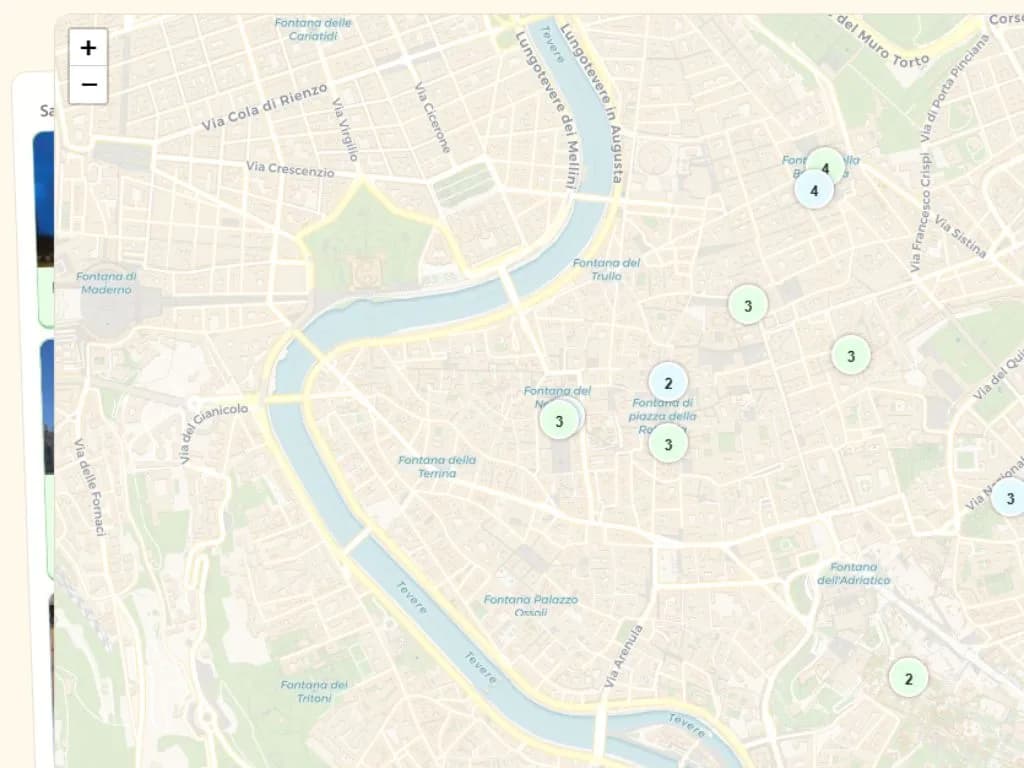
Your plans live online, so you can revisit and refine them whenever inspiration strikes. A built‑in search helps you discover must‑see spots and hidden gems quickly, and a map preview shows how far apart activities are. Instead of asking you to conform to rigid templates, Turistar gives you an open canvas and lets you craft a trip that reflects your own rhythm and curiosities.
My Role
Building Turistar wasn't just about writing code; it was about shaping an experience. Over three months, I sketched countless workflows, prototyped different interactions, and built the foundation that makes the planner feel fluid. I designed the interface to be approachable, wrote the logic that lets activities snap into place, and integrated a simple, privacy‑friendly database so your plans follow you from screen to screen.
I also opened the project to early travelers and friends. Their feedback on what felt intuitive (and what didn't) guided many of the refinements. From the colors to the copy, every detail was considered to make planning feel inviting, especially for people who don't think of themselves as "technical."
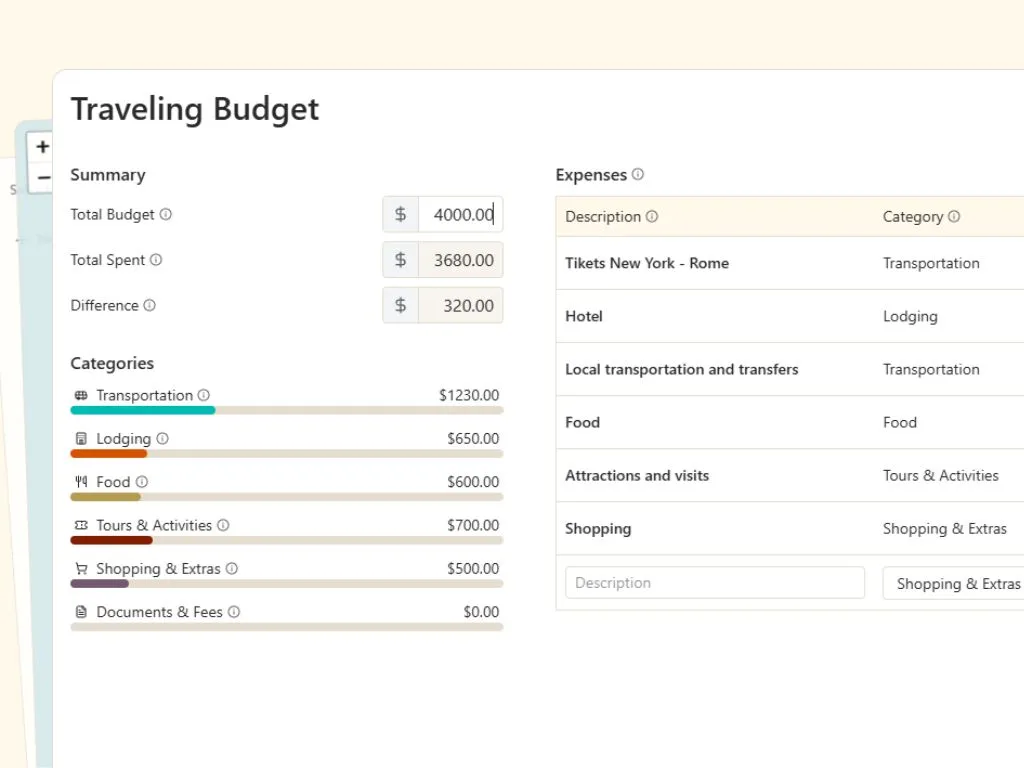
Highlights of the Planner
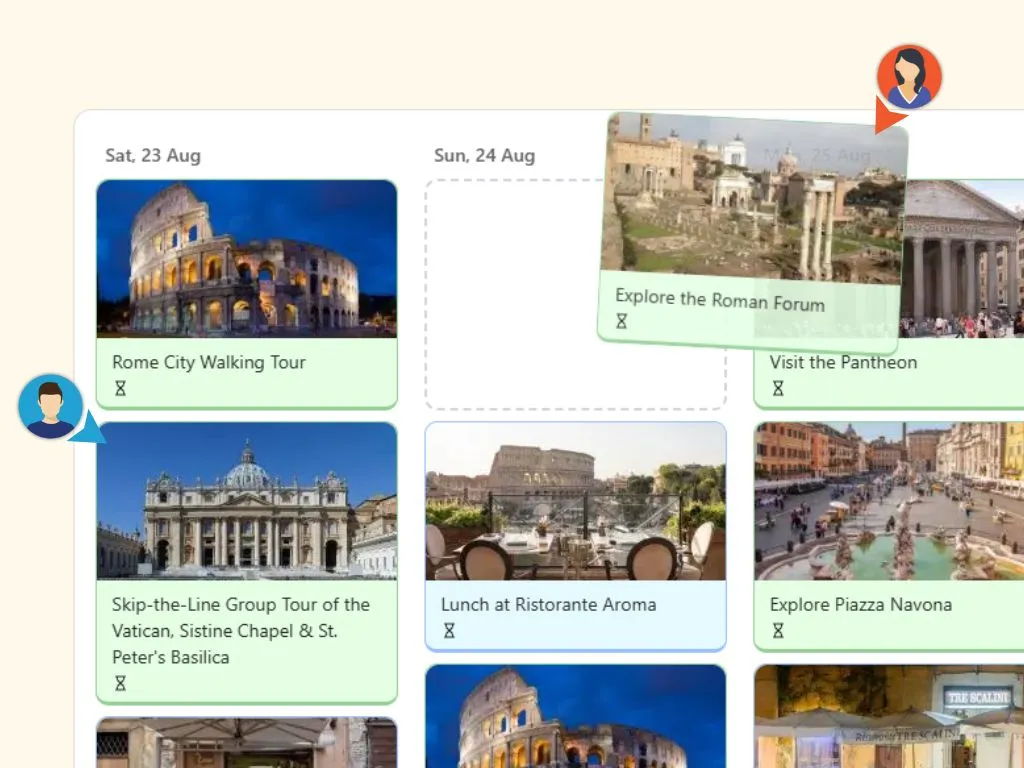
- Real-time collaboration: Share your trip with friends or family and plan together. Everyone can add, edit, and rearrange the itinerary in real time.
- Drag-and-drop planning: Build and adjust your itinerary visually. Move activities between days as plans evolve.
- Map-based overview: See all activities on a map to make better routing and scheduling decisions.
- Instant sharing: One link is enough for others to join and contribute. No setup, no friction.
- Simple by design: Planning stays lightweight and intuitive, even for complex trips.
The Impact
What started as a personal itch quickly resonated with others. Testers told me that Turistar made planning feel lighter and more creative. Some said it helped them travel more confidently because they could see their days laid out clearly. Others were inspired to fork the open‑source code and add their own ideas. For me, the most rewarding outcome was hearing that the tool helped transform planning from a necessary task into an enjoyable part of the journey.
Gratitude
Building Turistar was only possible because of the many open‑source communities that share their work freely. I'm grateful to everyone who offered feedback during the beta, whether by pointing out confusing buttons or suggesting a better way to search for cafes. To anyone who picks up the code and builds on it: thank you. I hope this project sparks your own adventures, both in code and in the world.